
View
The Transaction View API provides the ability to extract transaction data for an existing Transaction View, saved in Addepar.
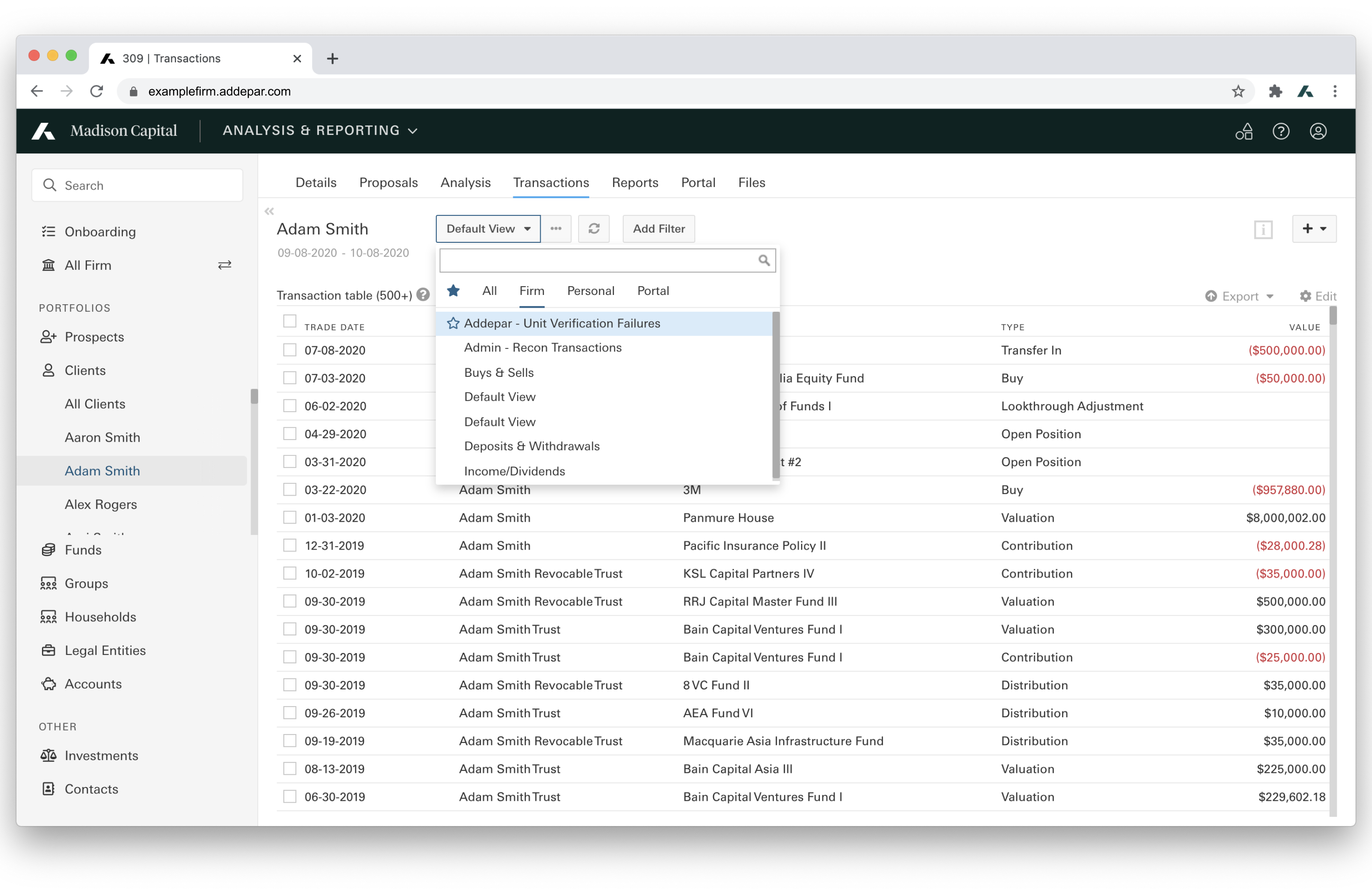
The Transactions section of Addepar is a repository of all transactions for a given portfolio or asset, including those that come in automatically from custodial data feeds and those manually added by your firm.
| Base Route | /v1/transactions |
| Endpoints | GET /v1/transactions/views/:id/results |
| Produces | CSV, TSV, or XLSX |
| Pagination | No |
| Application Permissions Required | "API Access: Create, edit, and delete" "Transaction firm view: View only" and "Transactions: View-only" to extract view data. |
| OAuth Scopes | TRANSACTIONS |
Resource Overview
The Transaction View API supports exporting views in CSV, TSV, or XLSX formats.
Parameters
Required Parameters
| Parameter | Description | Example |
|---|---|---|
portfolio_id | The ID of a portfolio configured in Addepar. A portfolio can be either an entity (i.e. a client, account, legal entity etc.) or a group of entities. If the | portfolio_id=10 |
portfolio_type | The type of portfolio. Supported Values: - | portfolio_type=ENTITY |
output_type | The output format of the exported result. Supported Values: - | output_type=CSV |
start_date | The start date of the time period of portfolio data. “YYYY-MM-DD” | start_date=2016-01-01 |
end_date | The end date of the time period of portfolio data. “YYYY-MM-DD” | end_date=2016-01-02 |
Required Arguments
| Argument | Description | Example |
|---|---|---|
id | The ID of the transactions view. You can find the view ID by generating an API URL. See "Generate an API URL" | /views/1 |
Generate an API URL
You can generate an API URL in Addepar by following the below steps:
- Sign in to Addepar.
- Select the portfolio on the left menu.
- Select the Transactions tab.
- Select a view from the drop-down menu and adjust the view as needed to display the data you want to export.
- Click Export at the top right of the table > Generate API URL > Copy Link.
The URL will include the view id, portfolio id, output type, start date, and end date.
Example API URL:
https://examplefirm.addepar.com/api/v1/transactions/views/1/results?portfolio_id=10&portfolio_type=entity&output_type=csv&start_date=2020-09-07&end_date=2020-10-07
Get Transactions View Data
Returns data based on the transactions view, portfolio, and time period.
Restrictions
- Transaction Views for “Summary Data” are not supported.
- Values must follow one of the following types: Currency, Date, Money Value, Number, Percent, Word, Yes/No.
Additional Notes (CSV & TSV):
- If the view includes a column for an entity (e.g., Security, Direct Owner), the output will include an additional column for "[Entity Name] [Entity ID],” which is the unique identifier for the entity.
- If the view includes Position as a column, then the output will include an additional column for Position ID, which is the unique identifier for each position.
- Formatting applied to numerical values ($, K, M, etc.) is ignored for number and money value columns: the output will include the raw values up to four decimal places.
- Percentages are represented as a fraction up to four decimal places.
- Boolean values are represented as “Yes” or “No.”
All CSV/TSV responses have the Byte-Order-Mark prefixed to the data stream to indicate the content's UTF-8 encoding.
GET /v1/transactions/views/:id/results
Example:
GET https://examplefirm.addepar.com/api/v1/transactions/views/1/results?portfolio_id=10&portfolio_type=ENTITY&output_type=CSV&start_date=2000-09-01&end_date=2020-1-01HTTP/1.1 200
Content-Disposition: attachment; filename="transactions_data.csv"
Content-Type: text/csv
<VIEW_CONTENT>Response Codes:
200 OK: Success400 Bad Request: Improperly specified query parameters403 Forbidden: Insufficient application permissions404 Not Found: View not found
Updated 27 days ago