
Teams
A team is a set of users that share access to resources like analysis views, dashboards, and section templates. Use the Teams API to see, create, update, and delete your firm's teams.
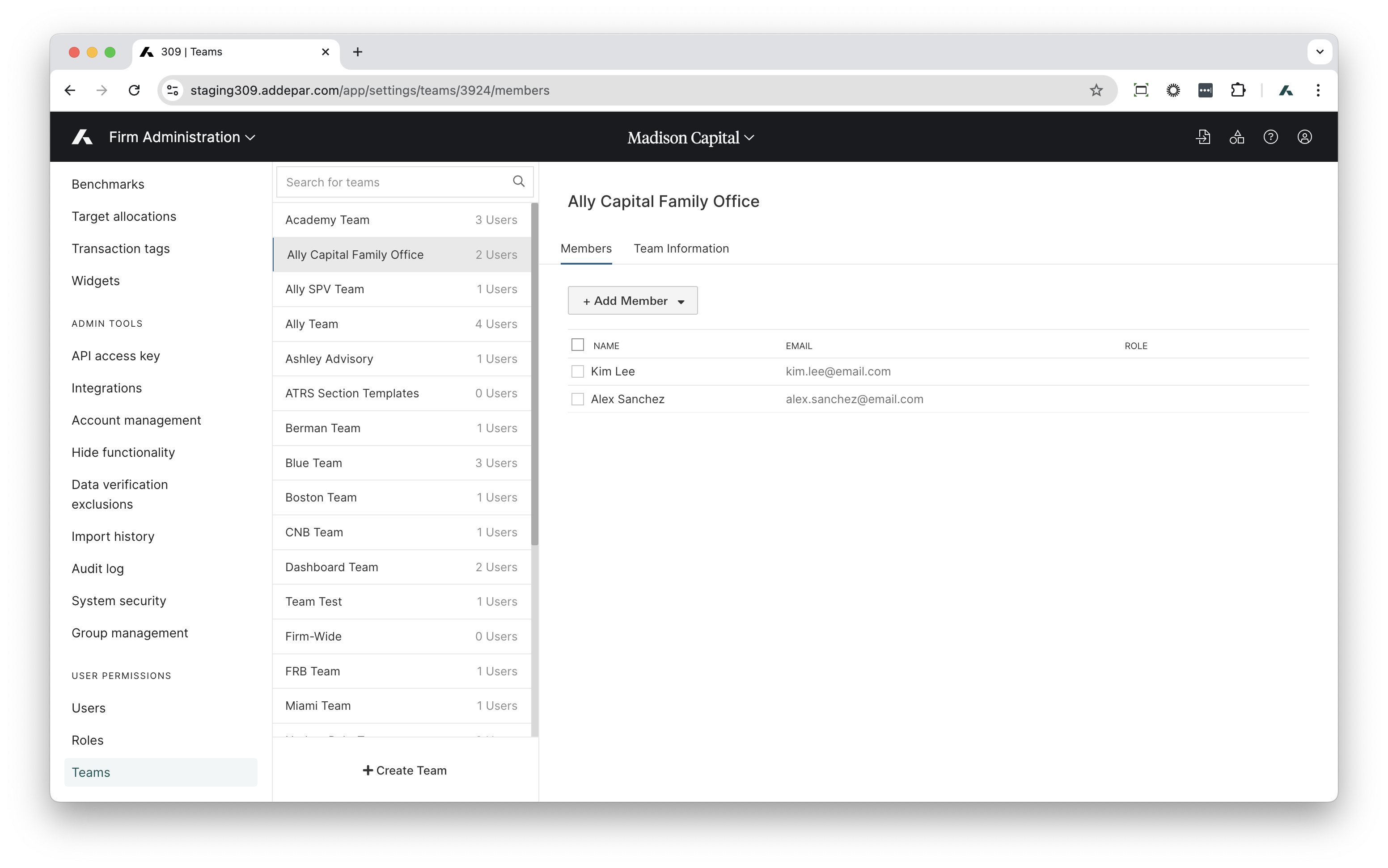
| Base route | /v1/teams |
| Endpoints | GET POST PATCH DELETE |
| Produces | JSON |
| Pagination | Yes |
| Application permissions required | Manage teams permission for POST, PATCH, and DELETE. |
| OAuth scopes | TEAMS or TEAMS_WRITE |
Resource overview
Teams are described by the below resource object attributes.
All attributes will be returned in successful GET, POST & PATCH responses.
| Attribute | Description | Example |
|---|---|---|
name | The team's name. | "San Diego Advisor Team" |
Relationship overview
| Relationship | Description |
|---|---|
members | Members of this team. |
"relationships": {
	"members": {
		"links": {
			"self": "/v1/teams/2/relationships/members",
				"related": "/v1/teams/2/members"
		},
			"data": [
			{
				"type": "users",
				"id": "80"
			},
			{
				"type": "users",
				"id": "78"
			}
			]
	}
},
	"links": {
		"self": "/v1/teams/2"
	}
}
Get all teams
Returns all teams, or a set of teams filtered by their IDs.
GET /v1/teams/
Optional parameter:
filter[id]=COMMA_DELIMITED_INTEGER_IDS: Filter to only return teams with the given IDs.
Example
GET https://examplefirm.addepar.com/api/v1/teams{
"data": [
{
"id": "1",
"type": "teams",
"attributes": {
"name": "Team 1"
},
"relationships": {
"members": {
"links": {
"self": "/v1/teams/1/relationships/members",
"related": "/v1/teams/1/members"
},
"data": [
{
"type": "users",
"id": "36"
},
{
"type": "users",
"id": "41"
},
{
"type": "users",
"id": "60"
}
]
}
},
"links": {
"self": "/v1/teams/1"
}
},
{
"id": "2",
"type": "teams",
"attributes": {
"name": "Team 2"
},
"relationships": {
"members": {
"links": {
"self": "/v1/teams/2/relationships/members",
"related": "/v1/teams/2/members"
},
"data": [
{
"type": "users",
"id": "80"
},
{
"type": "users",
"id": "78"
}
]
}
},
"links": {
"self": "/v1/teams/2"
}
}
],
"included": [],
"links": {
"next": null
}
}Response codes
200 OK: Success
Get a team
Returns a team with the given ID.
GET /v1/teams/:id
Example
GET https://examplefirm.addepar.com/api/v1/teams/2{
"data": {
"id": "2",
"type": "teams",
"attributes": {
"name": "Team 2"
},
"relationships": {
"members": {
"links": {
"self": "/v1/teams/2/relationships/members",
"related": "/v1/teams/2/members"
},
"data": [
{
"type": "users",
"id": "80"
},
{
"type": "users",
"id": "78"
}
]
}
},
"links": {
"self": "/v1/teams/2"
}
},
"included": []
}Response codes
200 OK: Success404 Not found: No team exists with the provided ID in the firm.
Get a team's users
Returns the IDs of all users in a team.
GET /v1/teams/:id/relationships/members
Example
GET https://examplefirm.com.addepar.com/api/v1/teams/2/relationships/members{
"data": [
{
"id": "80",
"type": "users"
},
{
"id": "36",
"type": "users"
},
{
"id": "37",
"type": "users"
},
{
"id": "70",
"type": "users"
},
{
"id": "76",
"type": "users"
}
]
}Response codes
200 OK: Success400 Bad Request: Invalid relationship queried403 Forbidden: Lacking permission to view users404 Not Found: Nonexistent/non-permissioned team ID
Create a team
Creates a team of users.
POST /v1/teams
Example
POST https://examplefirm.addepar.com/api/v1/teams

{
  "data": {
    "id": null,
    "type": "teams",
    "attributes": {
      "name": "Team 4"
    },
    "relationships": {
      "members": {
        "data": [
          {
            "type": "users",
            "id": "32"
          },
          {
            "type": "users",
            "id": "61"
          }
        ]
      }
    }
  }
}
{
"data": {
"id": "4",
"type": "teams",
"attributes": {
"name": "Team 4"
},
"relationships": {
"members": {
"links": {
"self": "/v1/teams/4/relationships/members",
"related": "/v1/teams/4/members"
},
"data": [
{
"type": "users",
"id": "32"
},
{
"type": "users",
"id": "61"
}
]
}
},
"links": {
"self": "/v1/teams/4"
}
},
"included": []
}Response codes
200 OK: Success400 Bad Request: Nonexistent team member user ID.400 Bad Request: The calling user does not have permission to modify a team it is a member of.403 Forbidden: The calling user does not have permission to manage teams.409 Conflict: The given name for the team already exists in the firm.
Add users to a team
Adds users to an existing team.
POST /v1/teams/:id/relationships/members
Example
POST https://examplefirm.addepar.com/api/v1/teams/4/relationships/members

{
    "data": [
        {
            "id": "36",
            "type": "users"
        },
        {
            "id": "60",
            "type": "users"
        }
    ]

}
HTTP/1.1 204 No ContentResponse codes
204 No Content: Success400 Bad Request: Nonexistent team member user ID.400 Bad Request: The calling user does not have permission to modify a team it is a member of.403 Forbidden: The calling user does not have permission to manage teams.404 Not Found: Nonexistent/non-permissioned team ID
Update a team
Updates a team's information, like its name.
PATCH /v1/teams/:id
Example
PATCH https://examplefirm.addepar.com/api/v1/teams/4

{
  "data": {
    "id": 4,
    "type": "teams",
    "attributes": {
      "name": "Team 4 Renamed"
    },
    "relationships": {
      "members": {
        "data": [
          {
            "type": "users",
            "id": "32"
          },
          {
            "type": "users",
            "id": "61"
          }
        ]
      }
    }
  }
}
{
"data": {
"id": "4",
"type": "teams",
"attributes": {
"name": "Team 4 Renamed"
},
"relationships": {
"members": {
"links": {
"self": "/v1/teams/4/relationships/members",
"related": "/v1/teams/4/members"
},
"data": [
{
"type": "users",
"id": "32"
},
{
"type": "users",
"id": "61"
}
]
}
},
"links": {
"self": "/v1/teams/4"
}
},
"included": []
}Response codes
200 OK: Success400 Bad Request: Failed to provide an ID.400 Bad Request: Malformed request JSON.400 Bad Request: Nonexistent team member user ID.400 Bad Request: The calling user does not have permission to modify a team it is a member of.403 Forbidden: The calling user does not have permission to manage teams.404 Not found: No team exists with the provided id in the firm.409 Conflict: The team ID in the URL does not match the provided request JSON team ID. Attempted to change the name of the provided team to a name that already exists in the firm.
Replace a team's users
Updates a team's users by removing its existing users and replacing them with a new set of users.
PATCH /v1/teams/:id/relationships/members
Example
PATCH https://examplefirm.addepar.com/api/v1/teams/4/relationships/members

{
  "data": [
    {
      "id": "32",
      "type": "users"
    },
    {
      "id": "61",
      "type": "users"
    }
  ]
}
HTTP/1.1 204 No ContentResponse codes
204 No Content: Success400 Bad Request: Nonexistent user id corresponding to a team member.400 Bad Request: The calling user does not have permission to modify a team it is a member of.403 Forbidden: The calling user does not have permission to manage teams.404 Not Found: Nonexistent/non-permissioned user ID
Delete a team
Deletes a team. You can only delete teams that have zero users.
DELETE /v1/teams/:id
Example
DELETE https://examplefirm.addepar.com/api/v1/teams/4HTTP/1.1 204 No ContentResponse codes
204 No Content: Success400 Bad Request: Failed to provide an id or tried to delete a team with members.403 Forbidden: The calling user does not have permission to manage teams.
Remove users from a team
Removes specific users from a team.
DELETE /v1/teams/:id/relationships/members
Example
DELETE https://examplefirm.addepar.com/api/v1/teams/4/relationships/members

{
  "data": [
    {
      "id": "32",
      "type": "users"
    },
    {
      "id": "61",
      "type": "users"
    }
  ]
}
HTTP/1.1 204 No ContentResponse codes
204 No Content: Success400 Bad Request: Nonexistent user id corresponding to a team member.400 Bad Request: The calling user does not have permission to modify a team it is a member of.403 Forbidden: The calling user does not have permission to manage teams.404 Not Found: Nonexistent/non-permissioned team ID
Updated about 1 month ago